
6 Steps to Follow When Choosing an Adapter
Review the checks together with the manufacturer's information. Each step supports compatible and safe use with your device.
Identify the exact model of the device.
Check the code of your existing adapter.
Go by the manufacturer's input voltage.
Verify the required current and power values.
Compare the dimensions, pin structure and connection.
Complete the final check with the technical information.
Read the Label Information
To choose the right adapter, check the label on your notebook or on your existing adapter.
The label on the underside of the device shows the input (DC IN) values and model information.
SAMPLE DEVICE LABEL
Model: Sample Model
DC INPUT: 19V DC / 4,74A
The label on your existing adapter shows its voltage, amperage and power values.
SAMPLE ADAPTER LABEL
OUTPUT: 19V DC / 4,74A 90W
Labels are illustrative.
Tip Types and Connection Options
When choosing the right tip type for your device, check the dimensions, pin structure and connection type. A similar-looking tip is not enough.
The most common tip type. Its outer and inner diameters must be checked.
Used on devices with a smaller diameter. Size and length matter.
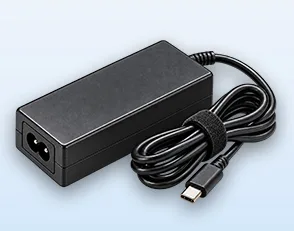
Used on notebooks with a USB-C input. The PD profile is also checked.
Some brands and models may use special tip types.
We Are With You for the Right Choice
Use the Adapter Selection Wizard to find a compatible adapter or get help from our experts.